2. In the "Advanced" section, click on "Cron Jobs" Icon.

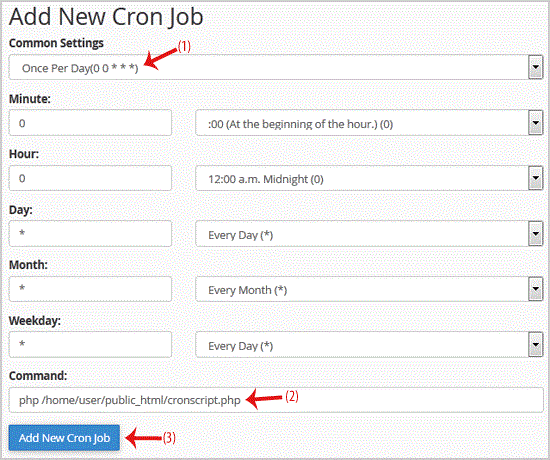
3. Under "Add New Cron Job",. "Common Settings" . and select an appropriate option such as "Once Per Day" or another suitable option.
. Enter your cronjob php file location or the command you want to run in the Command field.
5.. "Add New Cron Job" button.
Get Fast & Affordable Hosting in India
Start your website with SSD hosting, free SSL, cPanel, daily backups and 24/7 support from HostCupid.
Also explore: WordPress Hosting | Reseller Hosting | Domain Registration
