1. Login to your WordPress admin dashboard.
2. Under the dashboard ., hover your mouse on Posts and then click on "Categories".

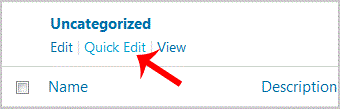
3. On the right side you can see the "Uncategorized" category option. Hover your mouse on it and a few options will appear.. "Quick Edit" option.
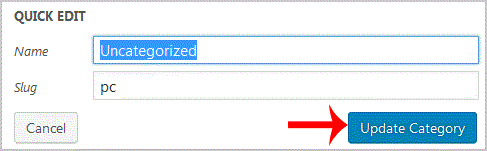
. Change the name and slug and then. "Update Category" option.
Get Fast & Affordable Hosting in India
Start your website with SSD hosting, free SSL, cPanel, daily backups and 24/7 support from HostCupid.
Also explore: WordPress Hosting | Reseller Hosting | Domain Registration