

Before adding an Addon Domain name you need to point your addon domain name server to your main domain name server and you will need to wait for domain pro...

1. Log into your cpanel account.2. In the "Domains" section, click on "Parked Domains" Icon. 3. Under "Remove Aliases", locate the parked domain name and. ...
Note: Before parking a domain, First you need to update name server of your domain you want to park to your main domain name server.1. Log into your cpanel...
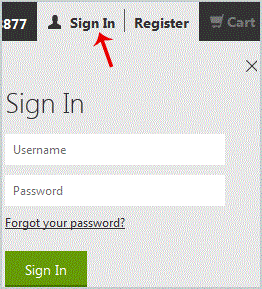
After purchasing our hosting account, you will receive a Welcome email from us which contains our "name server" and you need to update your domain name ser...
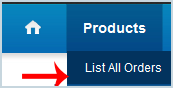
After purchasing our hosting account, you will receive a Welcome email from us which contains our "name server" and you need to update your domain name ser...
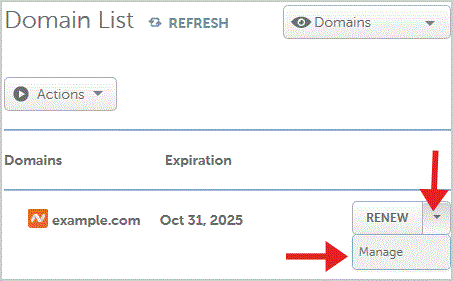
After purchasing our hosting account, you will receive a Welcome email from us which contains our "name server" and you need to update your domain name ser...
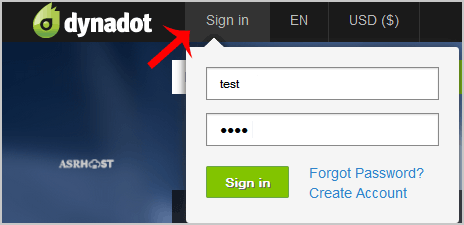
After purchasing our hosting account, you will receive a Welcome email from us which contains our "name server" and you need to update your domain name ser...
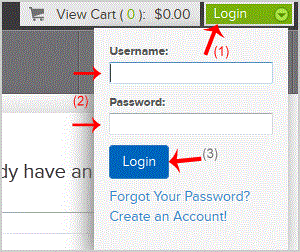
After purchasing our hosting account, you will receive a Welcome email from us which contains our "name server" and you need to update your domain name ser...
1. Log into your cpanel account.2. In the "Databases" section, click on "SQL Databae" Icon. 3. Scroll down to the end of the page and under "Add User to Da...
1. Log into your cpanel account.2. In the "Databases" section, click on "SQL Databae" Icon. 3. Under "MySQL Users" in the "Username" field enter the new us...
1. Log into your cpanel account.2. In the "Databases" section, click on "SQL Databae" Icon. 3. Under "Current Databases" you can see a list of all your dat...
1. Log into your cpanel account.2. In the "Databases" section, click on "SQL Databae" Icon. 3. Under "Current Databases", You can see list of your all data...