1. Log into your cpanel account.
2. In the "Files" section, click on "FTP Accounts" Icon.

3. Under the "FTP Accounts" list, click on "Change Quota".
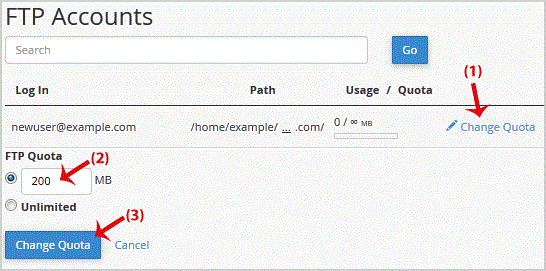
.. "Change Quota" button.


Fast, affordable SSD web hosting with free SSL & 24/7 local support.
Trusted in Chennai • 4.7★ Google rating • Free migration • Secure payments
Copyright © HostCupid Web Solutions Private Limited. All Rights Reserved.