2. In the "Files" section, click on "File Manger" Icon.

3. cpanel File Manager will be open, select the appropriate domain name or folder location, and press the "Go" button.
. Navigate to the directory where your file is located.
5. Right. file and then on "Edit" or "Code Edit" in the Context ..

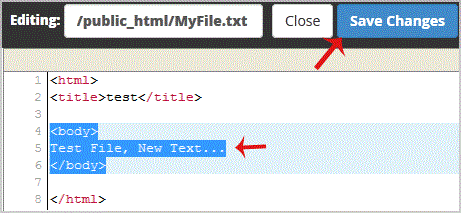
6. If the small "Code Editor" window is open,. "Edit" button, which will open a new window with options you can edit.

7. Make changes to your file and then. "close Changes" button.