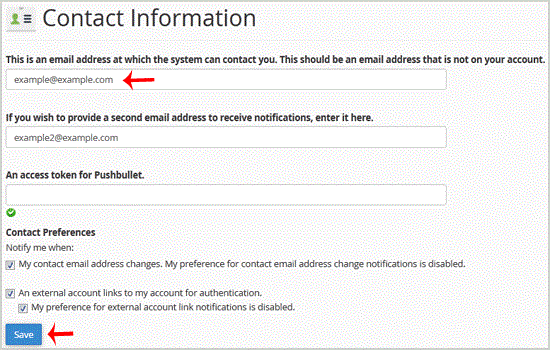
1. Log into your cpanel account.
2. In the "Preferences" section, click on "Contact Information" Icon.
3. You should see an input box under the line that says "This is an email address at which the system can contact you. This should be an email address that is not on your account." This should be an email address that is not on your account if you have one. Update your existing email address or add your secondary email address in the second email input box.
.. "close" button.