Published 15 October 2026
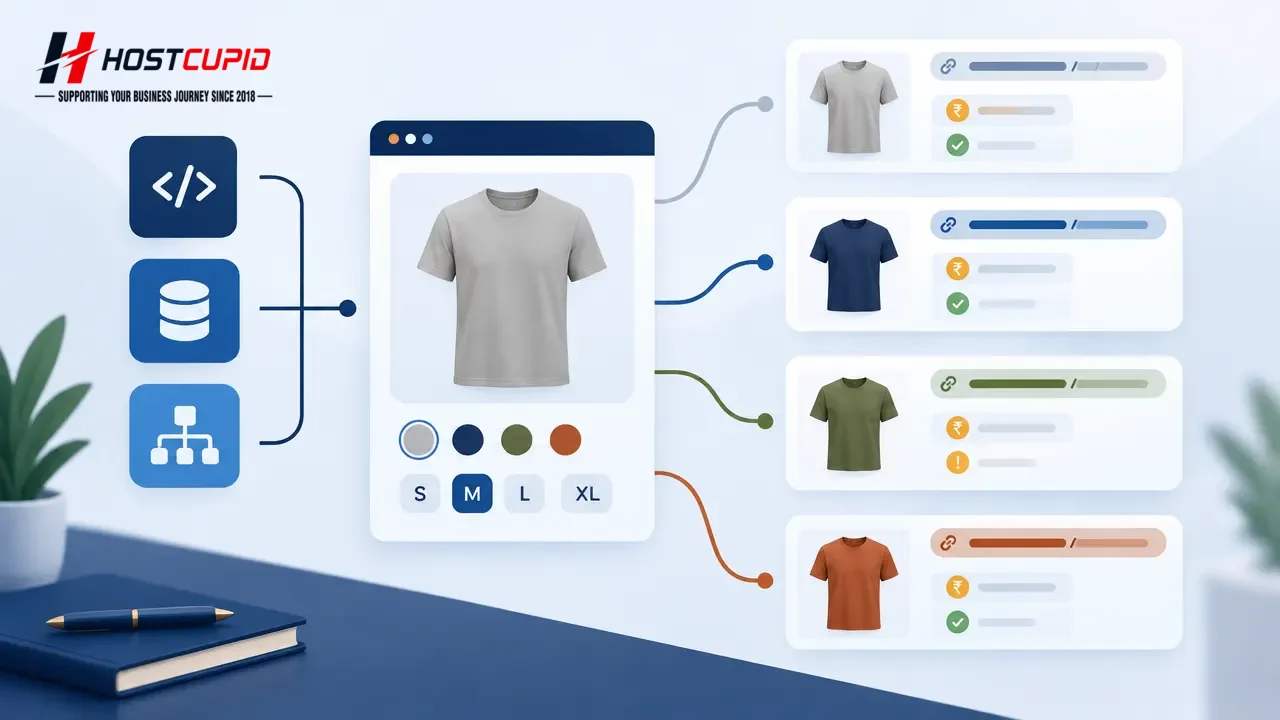
A product variant—such as a shirt in different sizes or colours—needs to show the right option to shoppers and communicate its relationship to the main product clearly. For an ecommerce site, that means checking the selected variant, URL, visible price and stock information, canonical tag and structured data together. A markup test passing on its own does not prove those details match what customers see.
Google’s documentation describes both single-page product selectors and variants on separate pages. It recommends URLs that identify variants when they need to be directly accessible, and explains how ProductGroup markup can describe a group and its options. These choices are implementation decisions, not a promise of a particular search appearance. See Google’s ecommerce URL guidance and product-variant structured data guide.
First decide what a variant URL should do
Start with the customer journey. If selecting a colour or size must be shareable, bookmarkable or independently reachable, make sure the chosen option can be represented by a stable URL and loads with that choice selected. A path such as /shirt/green or a clear query parameter such as /shirt?color=green can identify the variant. Avoid relying on a URL fragment like #green to distinguish indexed content: Google’s ecommerce URL guidance says fragments are not used to identify separate pages for this purpose.
If variants are selected on one page without a separate page load, the base product URL may represent the group. If variants are published on separate pages, each should show its own correct product details. Do not create indexable URLs for every filter, tracking code or temporary session value simply because a plugin can generate them. Many near-identical URLs can waste crawling and make it harder to understand which page represents the product.
Practical rule: a URL should only represent a variant if opening it directly reliably displays that variant and its actual purchase information.
Keep page content, canonicals and structured data aligned
A canonical tag is a signal that identifies the preferred URL among duplicate or similar pages; it is not a substitute for making the pages behave correctly. For a single-page variant setup using optional query parameters, Google recommends the URL without the variant parameter as the canonical. Its guidance also recommends consistent URLs across internal links, sitemaps and canonical tags. Different implementations can require different choices, so check the platform’s output before applying a blanket rule.
For structured data, Google documents ProductGroup and Product properties such as variesBy, hasVariant and productGroupID. The exact markup depends on whether variants share one page or have separate pages. Give each option a distinct identifier where required, and represent real attributes such as colour, size, image, price and availability accurately. Structured data should describe what a visitor can actually see and buy—not a desired price or an unavailable option.
- Visible page: selected option, image, price and stock status are correct on direct page load.
- URL: a shareable variant URL selects the matching option; no temporary session or tracking value is needed.
- Canonical: the tag points to the intended representative page for the chosen architecture.
- Markup: group and variant data match visible content and use stable identifiers.
- Navigation: shoppers can reach options through working links or controls, including when opening a copied URL.
A safe testing and release checklist
- Map the catalogue model. Write down which attributes create variants, whether each has its own SKU, and whether a variant gets a distinct page or is selected on the parent page. Check what the ecommerce platform and SEO extensions already generate to avoid duplicate markup.
- Test a real option directly. Open a colour or size URL in a fresh browser session, not only by clicking the selector. Confirm the selected label, image, price, stock and add-to-cart choice are correct. Try a second option and a missing or discontinued one.
- Inspect rendered HTML. Check the canonical link, internal links and JSON-LD output on the page. Compare the price and availability in the markup with the visible page. If stock or price changes, verify that cached pages and markup do not continue showing old data.
- Validate, then inspect Google’s view. Use the Rich Results Test to find structured-data errors, then inspect representative live URLs in Search Console after deployment. Google says structured-data eligibility does not guarantee a rich result, and crawling or re-evaluation takes time. Check relevant Search Console product reports after Google processes the pages.
- Roll out in a small batch. Test a few products first, keep a record of their old URL and markup behaviour, then expand only after the tests pass. If a template change causes incorrect prices, broken selectors or unexpected canonicals, pause deployment and correct the template before propagating it across the catalogue.
Common mistakes to avoid
- Adding
ProductGroupmarkup without confirming the page’s variant design and required product data. - Marking up a sale price or in-stock status that visitors cannot see or use to purchase.
- Pointing every option at an unrelated canonical URL, or changing canonical and sitemap conventions inconsistently.
- Assuming a valid test means Google will show enhanced results. Structured data makes a page eligible for supported appearances; display remains at Google’s discretion.
- Using a JavaScript selector that changes the screen but leaves the direct URL, selected option or product data unchanged.
Google’s structured data guidelines require markup to be representative of the page and not misleading. If a canonical looks wrong, use URL Inspection to compare Google’s selected canonical with your declared one, then check the page output and server behaviour before requesting re-indexing.
What this means for Indian ecommerce teams
For a catalogue with many sizes, pack options, colours or regional inventory differences, the risk is operational as much as technical: a shopper may land on the wrong option, see stale stock, or struggle to share a chosen product. Treat variant handling as a coordinated task for the store owner, developer and whoever maintains product data. Keep a small test list covering common options, sale items, unavailable stock and mobile use, and repeat it after theme, plugin or catalogue-template updates.
HostCupid is a Chennai-based company providing website development and ecommerce solutions as well as hosting services. For a store being built or migrated, product URL behaviour and structured data are useful items to include in the implementation review; the owner should still verify that actual prices, inventory and fulfilment details remain accurate in the live shop. This checklist is useful whether you manage the implementation yourself or work with an agency.
Sources
- Designing a URL structure for ecommerce websites
- Product variant structured data (ProductGroup, Product)
- General structured data guidelines · 2026-07-10
- Fix canonicalization issues · 2026-08-21