Published 6 October 2026
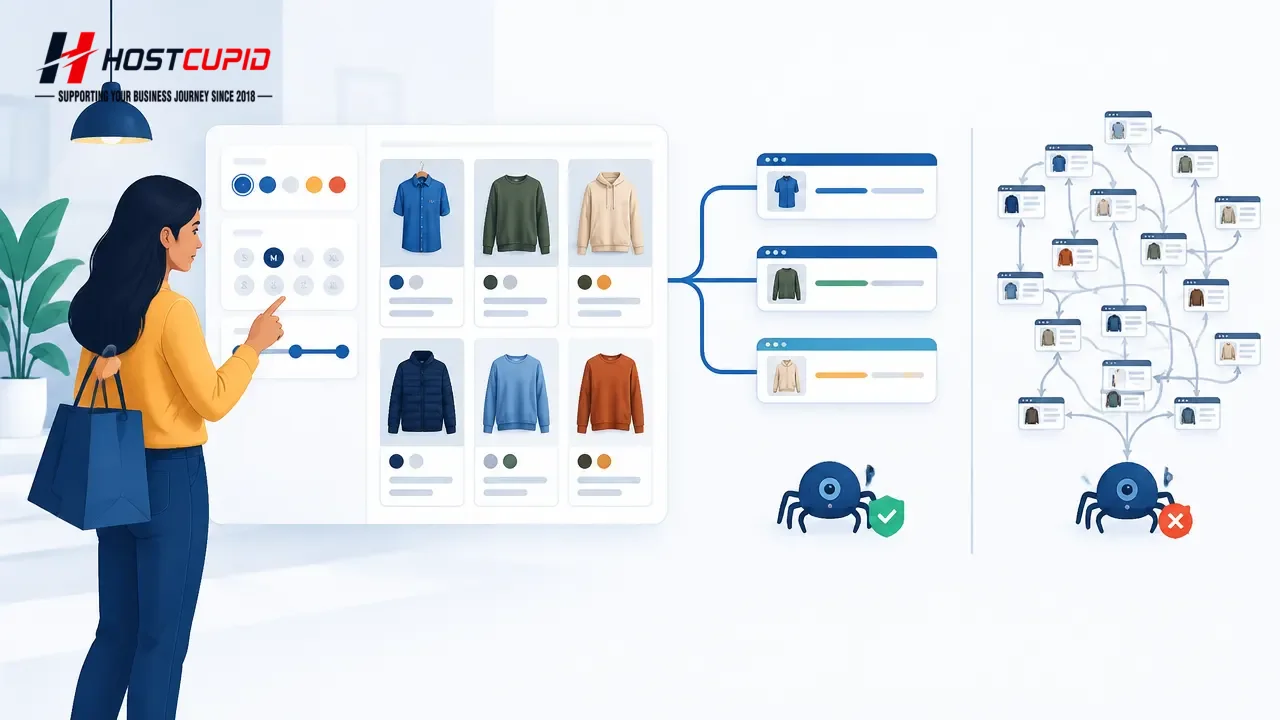
WooCommerce product filters make it easier for shoppers to narrow a catalogue by colour, size, brand or price. But when each selection creates a distinct URL, combinations of filters can produce a very large set of pages. Most stores should decide deliberately which filtered pages deserve search visibility, rather than assuming every filter combination belongs in Google.
A filtered URL might look like /shoes/?colour=black&size=8. Search engines can encounter many such variations, including combinations with few or no products. The goal is not to remove useful shopping controls: it is to keep customer navigation working while avoiding unnecessary crawl and indexing complexity.
Why product-filter URLs need a plan
Google describes faceted navigation as a common source of URL combinations that can consume crawling resources and delay discovery of more useful URLs. A filter can be valuable to a shopper without being a valuable standalone search landing page. For example, “black running shoes” may reflect a meaningful demand, while “black, size 8, under ₹2,000, sorted by rating” may be a temporary or very narrow view.
WordPress and WooCommerce installations may create URLs using query parameters, rewrite rules or plugin-specific approaches. The exact behaviour varies by store and extension, so inspect your live URLs rather than relying on a generic parameter list. This matters especially for growing catalogues and campaigns, where filters and sorting can combine in unexpected ways.
- Useful category pages: Usually deserve clear internal links and stable URLs.
- Curated filter combinations: May merit a dedicated, maintained landing page if they serve a real audience.
- Temporary sorting and narrow combinations: Often add little value as search landing pages.
- Empty combinations: Should not masquerade as valid product listings; check what status code they return.
First decide what should be discoverable
Start with commercial and customer evidence, not with a blanket “block every parameter” rule. Ask which category and product pages support real searches, which filtered collections shoppers use repeatedly, and whether those collections have enough products and useful context to stand on their own. If a filter result is worth finding through search, consider building a stable, descriptive collection or category page rather than exposing every possible combination.
Google recommends crawlable links between category, subcategory and product pages so that important products are reachable through site navigation. That structure helps users as well as crawlers. Product pages should not depend solely on a search box or a sequence of filters for discovery.
Audit the URLs your store actually creates
- Test filter combinations. On a staging copy or during a quiet period, select one filter, then combine two or more. Note the resulting URLs, whether the page content changes, and whether the same selection can be reached in multiple orders.
- Check crawling and indexing evidence. In Search Console, review the Page indexing report and inspect representative URLs. If available, use server logs to see whether crawlers repeatedly request filter combinations. A URL appearing in a report is evidence to investigate, not proof that every similar URL is harmful.
- Classify the results. Mark URLs as useful search destinations, shopper-only variations, empty results, or duplicates of another view. Include tracking parameters and sort orders in the review if they generate alternate URLs.
- Check internal links and sitemap entries. Confirm that important products and categories are linked through ordinary page links. Sitemaps should focus on canonical pages intended for search, not every temporary filter state.
Choose a control that matches the purpose
If filtered URLs do not need to appear in search and are creating substantial crawl activity, Google documents robots.txt as one way to prevent crawling of faceted URLs. Use narrowly tested rules: parameter names and URL patterns differ between stores, and a broad disallow can block pages you intended to expose. Test the rules against representative URLs before publishing them.
Canonical tags can signal a preferred representative URL for duplicate or similar pages, but they are not a substitute for deciding what the page should be. Google notes that canonicalisation is a signal and that it chooses the canonical itself. Likewise, adding nofollow to filter links is not a simple universal switch: Google says the signal must be applied consistently to links pointing to those URLs to be effective.
Important: Do not block a URL in robots.txt and then expect Google to read a page-level “noindex” tag on that blocked page. If you are changing crawl or indexing controls, verify the intended outcome and test for conflicts before deployment.
Verify after changes—and protect the shopping journey
After adjusting filter behaviour, test the store as a customer: select filters, clear them, use pagination, open a product, and check mobile navigation. Confirm that valid products remain accessible and that empty or nonsensical combinations do not return misleading pages. Review representative URLs in Search Console over time; crawling and indexing changes are not necessarily immediate.
Do not remove filters just to reduce URL counts. A store’s search controls can be essential for shoppers, particularly on mobile and for large inventories. Keep the user-facing feature, while making a separate, evidence-based decision about whether each URL family belongs in search. For a custom theme or filter plugin, have a developer check the generated URLs and crawl directives before changing production settings.
For Indian ecommerce businesses, the practical lesson is to treat product filtering as both a merchandising feature and a website-operations decision. A WordPress or WooCommerce site’s hosting environment is one part of its operation, but URL design, catalogue structure and plugin behaviour also affect how efficiently it can be managed. HostCupid provides WordPress and shared hosting, website development and migration assistance; whichever provider you use, establish the desired URL behaviour and test it before launch or a major catalogue change.
Sources
- Managing crawling of faceted navigation URLs — Google Crawling Infrastructure · 2025-12-18
- Help Google understand your ecommerce website structure — Google Search Central
- Designing a URL structure for ecommerce websites — Google Search Central
- What is URL canonicalization — Google Search Central