Published 12 October 2026
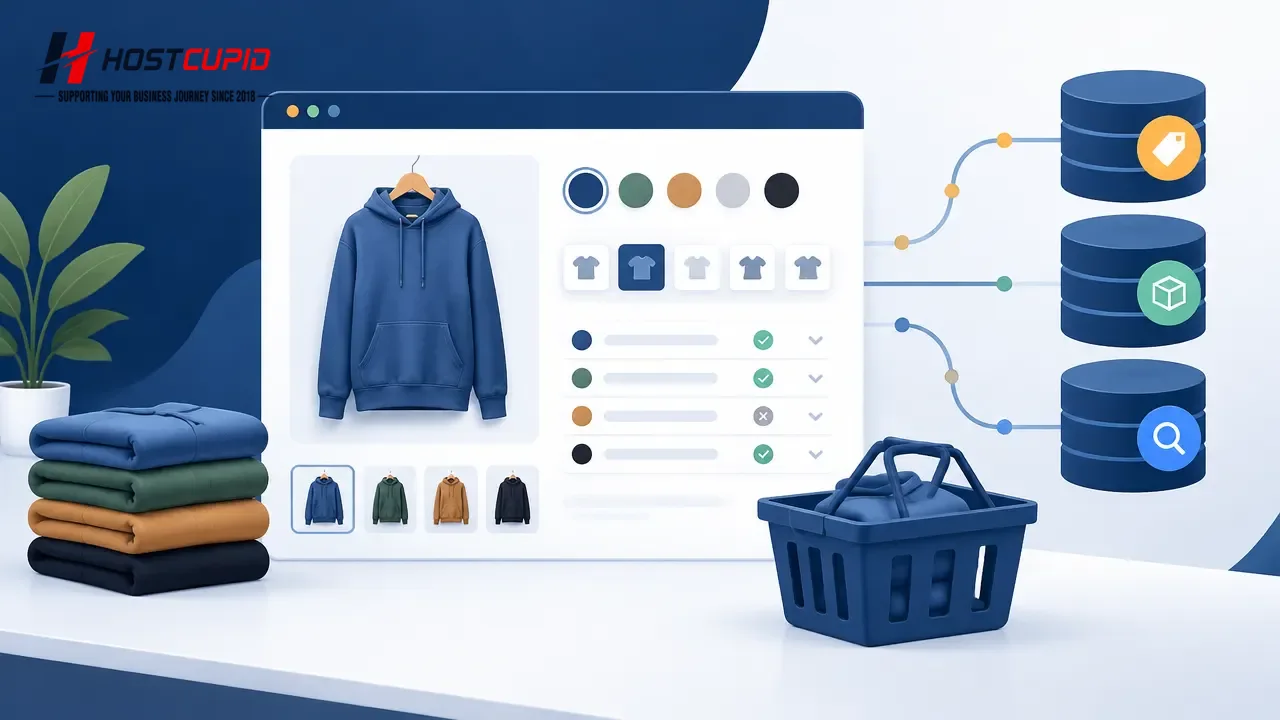
A WooCommerce variable product lets shoppers choose between options such as size or colour on one product page. The page should make each choice understandable and show the correct price and availability. For ecommerce businesses, the practical job is to keep the product page, checkout and any structured product data consistent—not to add markup for its own sake.
Google distinguishes product snippets from merchant listings: the appropriate structured data depends partly on whether visitors can buy the product on the page. Neither type guarantees an enhanced search appearance. Start by making the buying experience accurate for people, then check what your store communicates to search engines.
Plan options around what customers actually choose
Use a variation when an option changes the purchasable item in a meaningful way—for example, a T-shirt’s size or colour. Avoid turning every detail into an option if it does not help shoppers identify what they are buying. A long, confusing selector can make it harder to choose and can complicate stock management.
- Use clear labels: name options “Size” or “Colour”, and use values customers recognise.
- Set a distinct price where needed: if one size or configuration costs more, confirm the displayed price changes when that option is selected.
- Track stock at the right level: if only one colour or size is out of stock, avoid marking every variation unavailable.
- Check product images: when a choice changes the product’s appearance, verify that the selected variation shows an appropriate image.
Decide whether the options represent genuinely different products or variations of one product. This is a merchandising decision as much as a technical one: separate products may be easier to browse when the items differ substantially, while variations are useful when shoppers expect to choose among closely related options on a single page.
Test the page as a shopper, not just in the editor
After creating or changing a variable product, test the public product page on a mobile phone and a desktop browser. Do not assume that a setting saved in the administration area behaves as intended in the storefront. Check the whole purchase path with a test order if your store’s process allows it.
- Select every option: make sure the combination can be selected and that unavailable combinations are clearly shown or disabled.
- Watch the price and stock message: change options and confirm that the displayed information updates to match that exact selection.
- Check the cart: add a variation and confirm the cart identifies the chosen attributes, quantity and price correctly.
- Review the order confirmation: ensure the variation details remain visible in the order record and customer email.
- Repeat after changes: retest after updating the theme, WooCommerce extensions, product settings or checkout.
If the page behaves inconsistently, temporarily test with a standard theme or disable non-essential extensions on a staging copy where possible. Change one thing at a time and record what you changed. Avoid troubleshooting on a live store during a busy sales period without a recovery plan.
Give each variation a useful URL strategy
Some stores let a shopper select an option while keeping the same product URL; others create links that represent a selected variation. Either can serve a purpose. If customers share links to particular options, test that the link opens the intended selection and that the product remains purchasable. Do not create separate indexable pages for every minor option automatically.
Google’s guidance says canonical signals help identify the preferred URL among duplicate or very similar pages. Redirects and rel="canonical" annotations are stronger signals than sitemap inclusion, and these signals should not point to conflicting preferred URLs. For stores with option-specific URLs, review what the page contains and whether it is genuinely distinct before deciding its canonical treatment. If unsure, ask the person responsible for your store’s SEO or development rather than adding tags by guesswork.
Keep structured product data aligned with the visible page
Structured data is machine-readable information describing page content. For a product that customers can purchase directly, Google documents merchant listing markup; product snippet markup is intended for product pages where visitors cannot directly purchase. Google recommends product-focused pages rather than broad category pages for product rich-result eligibility.
Check that any markup generated by WooCommerce or an extension reflects the actual product and selected offer. In particular, do not let structured data show an old price, unavailable stock or a different product name from the visible page. Never invent review counts, ratings, sale prices or availability to qualify for a search feature. Test important product pages with Google’s available structured-data tools and review Search Console reports for detected issues.
Important: valid structured data makes a page eligible for certain search appearances; it does not guarantee that Google will show them.
A short maintenance checklist for store owners
- Check best-selling and recently edited variable products after catalogue changes.
- Compare the selected variation’s visible price and stock status with the values in your store administration.
- Test mobile selection, cart details and checkout behaviour.
- Review structured product information when changing SEO or WooCommerce extensions.
- Inspect variation URLs and canonical settings before publishing a large catalogue or URL change.
For Indian stores, this discipline also helps reduce avoidable order confusion: shoppers should be able to see exactly which size, colour or configuration they are buying before they pay. Keep product information and any applicable delivery or return terms clear on the page; do not rely on a search result to explain details that customers need at checkout.
HostCupid Web Solutions Private Limited is a Chennai-based provider of hosting, website development and ecommerce solutions. For a WooCommerce store, hosting is one part of the operating picture; product configuration, extensions, theme behaviour and testing matter too. If you need help planning a store build or migration, discuss the requirements and responsibilities before work begins.
Sources
- Google Search Central: Product variant structured data
- Google Search Central: Merchant listing structured data
- Google Search Central: Product snippet structured data
- Google Search Central: Specify a canonical URL