
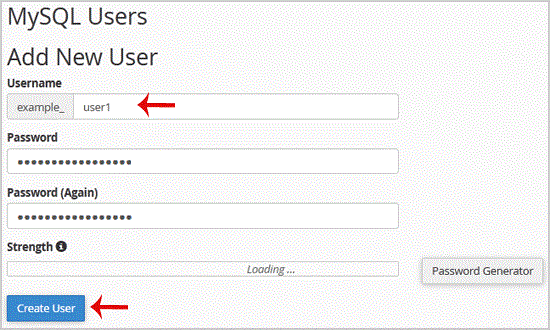
1. Log into your cpanel account.2. In the "Databases" section, click on "SQL Databae" Icon. 3. Under "MySQL Users" in the "Username" field enter the new username .create.. Enter your new password or use a password generator.5.. "Create a U…
Explore related website, hosting, WordPress, security and reseller topics.
1. Log into your cpanel account.2. In the "Databases" section, click on "phpMyAdmin" Icon. 3. In left side-bar,. expand babies to expand database like "example".. Under your cpanel username…
Read article →1. Log into your cpanel account.2. In the "Databases" section, click on "phpMyAdmin" Icon. 3. In left side-bar,. expand babies to expand database like "example". . Under your cpanel usernam…
Read article →1. Log into your cpanel account.2. In the "Databases" section, click on "phpMyAdmin" Icon. 3. In left side-bar,. expand babies to expand database like "example". . Under your cpanel usernam…
Read article →1. Log into your cpanel account.2. In the "Databases" section, click on "phpMyAdmin" Icon. 3. In left side-bar,. expand babies to expand database like "example".. Under your cpanel username…
Read article →